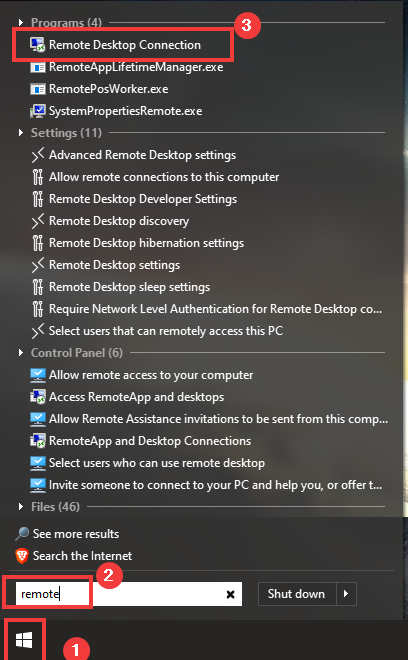
- Click Start
- Start Typing 'remote'
- Click 'Remote Desktop Connection'
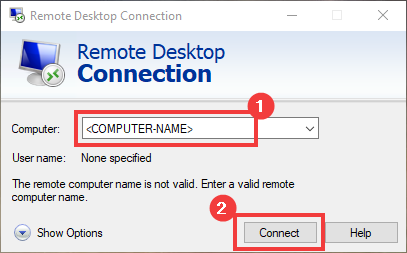
- Enter the computer name given to you in the 'Computer' field
- Click Connect
- Enter your network username and password
- Click 'OK'

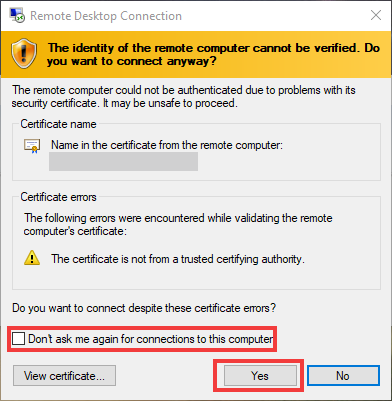
- If this pops up, click 'Don't ask me again...'
- Click 'Yes'
- The remote connection should be established!